
Deploy your APK
Inspect APK name, version and minimum API; install and launch on an authorized device without clearing its data.
 Native Mac build / 0.5.3 · LOCAL DEVELOPMENT PREVIEW
A native Mac workspace to deploy Android APKs, control a connected device and inspect your test session.
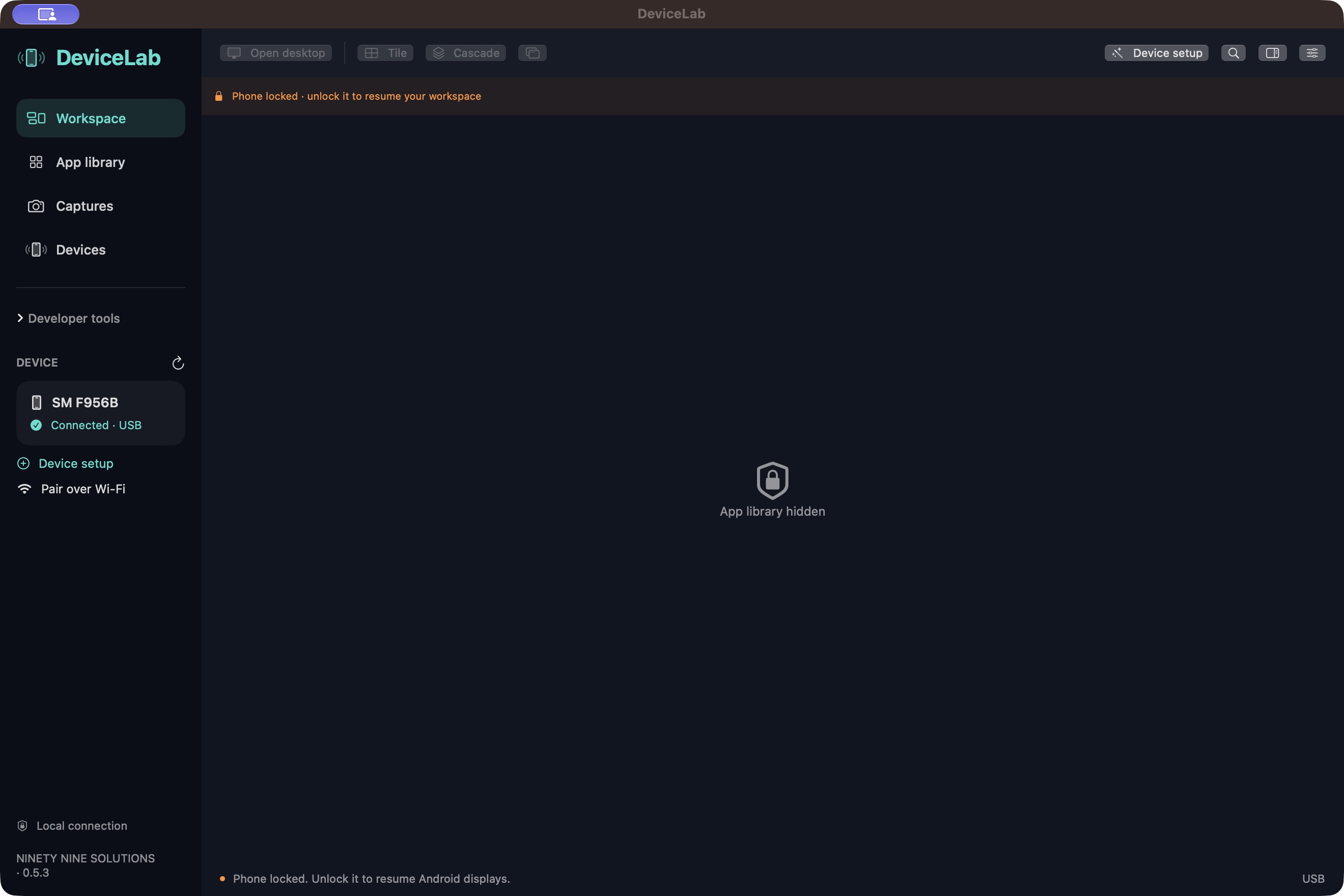
Explore the refreshed DeviceLab 0.5.3 workspace in real Mac captures. This is a local development preview. The available download remains the earlier 0.1.0 build.
Download earlier 0.1.0 development build0.1.0 · earlier development downloadDevelopment build · not notarized by Apple USB → APK → LIVE
Preview features below describe 0.5.3; they are not promised in the earlier downloadable 0.1.0 ZIP.
Desktop, apps and developer tools.Inspect APK name, version and minimum API; install and launch on an authorized device without clearing its data.
Use the bundled companion desktop or separate Mac display windows. Apps run on Android; up to three displays in this preview.
Search real installed apps; tile, cascade, snap, fill and restore supported Android windows using their actual task bounds.
Review bounded 2,000-line logs, filter by app or severity, inspect crashes and save local evidence.
Capture PNGs, record through scrcpy and export local diagnostic reports for manual review before sharing.
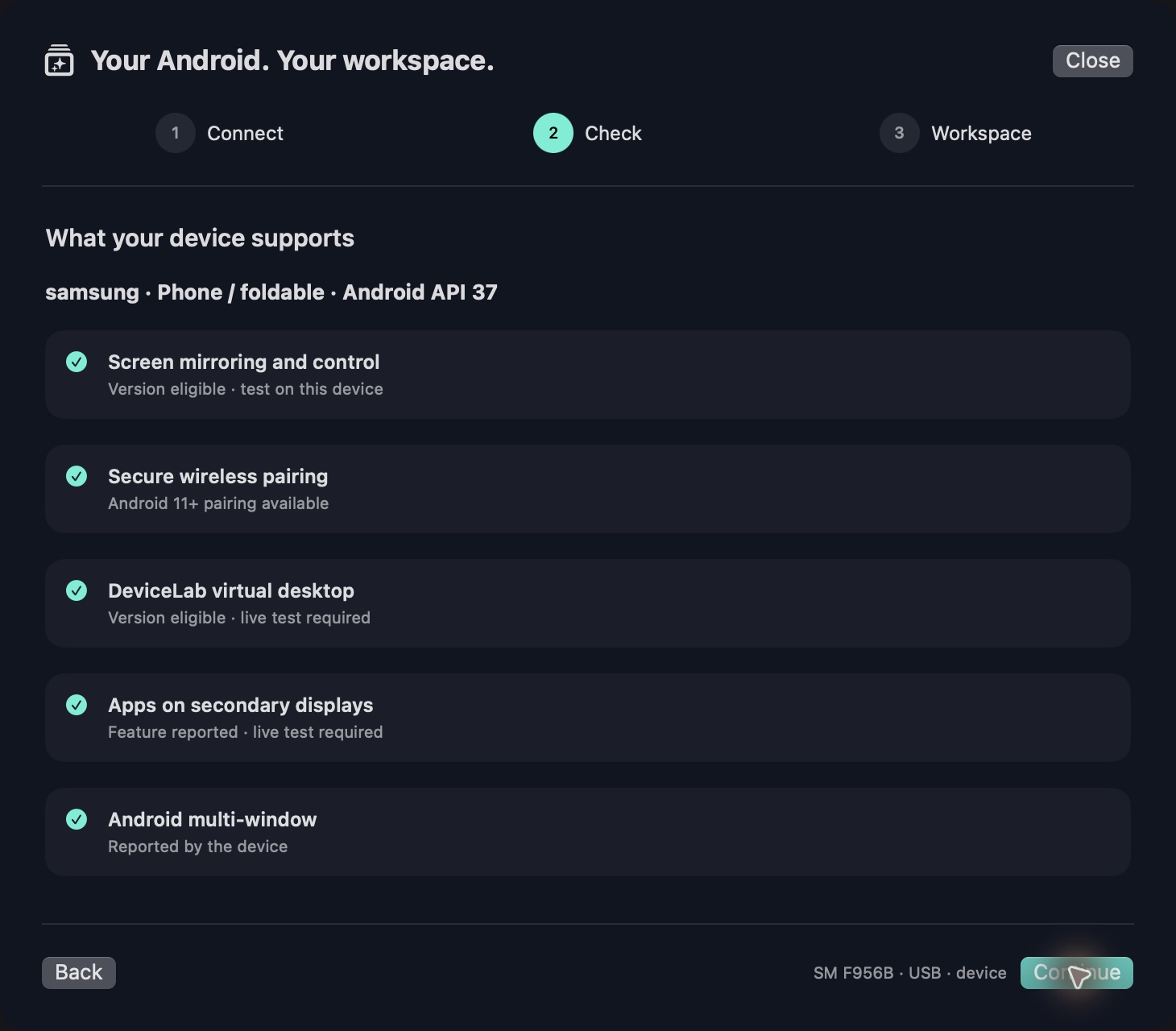
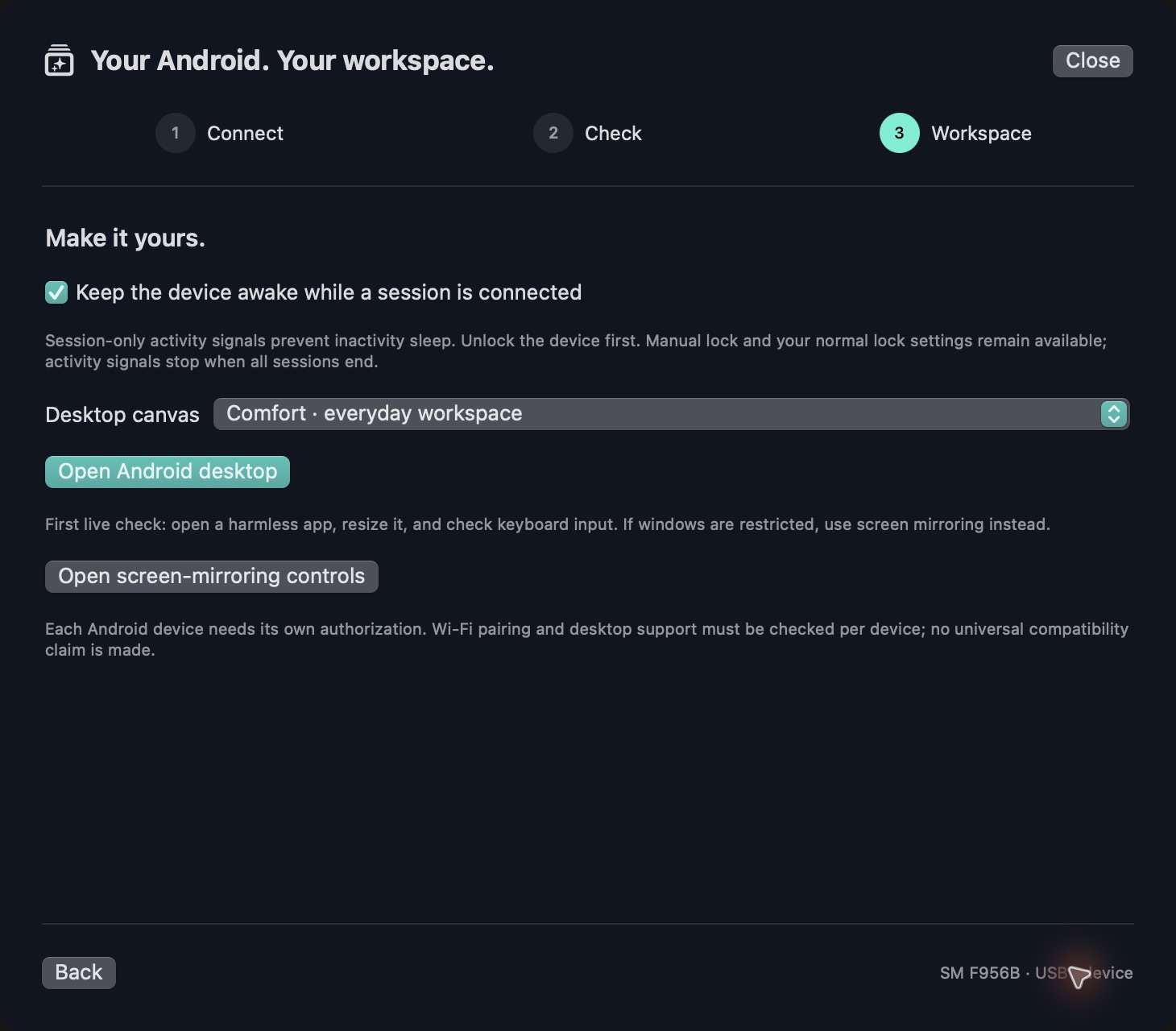
USB or secure Android 11+ Wi-Fi setup; read-only capability checks, session keep-active and mirroring fallback.
Actual 0.5.3 development preview, with publisher attribution corrected. The phone was locked during capture; its app library is intentionally hidden. Setup checks report eligibility, not universal compatibility. English app interface.
Unlock your phone, enable USB debugging and approve this Mac on the Android prompt.
Select the device, inspect an APK or open the app library, then choose the matching launch action.
Open the live screen, inspect logs and save a screenshot to document the result.
Apple Silicon Mac · macOS 13 or later · Android 8 or later · USB debugging · Android 11 or later for wireless pairing
0.5.3 is a local development preview, not a new public download. The earlier 0.1.0 ZIP remains separate. Ad-hoc signed, not Apple-notarized; companion debuggable. Selected Fold USB/Wi-Fi checks passed historically; broad hardware, accessibility and sustained-load acceptance remain pending.
Mac interface: English. Website: English, French and Arabic.
No account or cloud relay. Device commands and test files stay on your local computer and connected Android device.
Download integrity manifest ↗Apps run on the connected Android device. DeviceLab controls and inspects it from your Mac; it does not include an Android emulator.
This build accepts APK files. Export an installable APK from your Android project first.
Downloads and SHA-256 checked ·
Choose a published channel. Newer development work stays separate until its download is verified.
0.1.0 · Build 0.1.0 · 13.88 MB
DevelopmentDownload DeviceLab 0.1.0 ↓SHA-256: 317d63fe0a7d15a30032a411c6dc3fc680dc16c8f753d16a62636c1b34bc105eExplore the refreshed DeviceLab 0.5.3 workspace in real Mac captures. This is a local development preview. The available download remains the earlier 0.1.0 build.
The practical details for choosing and using this product. Check the selected release notes for feature availability.
Inspect APK name, version and minimum API; install and launch on an authorized device without clearing its data.
Use the bundled companion desktop or separate Mac display windows. Apps run on Android; up to three displays in this preview.
Search real installed apps; tile, cascade, snap, fill and restore supported Android windows using their actual task bounds.
Review bounded 2,000-line logs, filter by app or severity, inspect crashes and save local evidence.
Capture PNGs, record through scrcpy and export local diagnostic reports for manual review before sharing.
USB or secure Android 11+ Wi-Fi setup; read-only capability checks, session keep-active and mirroring fallback.
Unlock your phone, enable USB debugging and approve this Mac on the Android prompt.
Select the device, inspect an APK or open the app library, then choose the matching launch action.
Open the live screen, inspect logs and save a screenshot to document the result.
No account or cloud relay. Device commands and test files stay on your local computer and connected Android device.
0.5.3 is a local development preview, not a new public download. The earlier 0.1.0 ZIP remains separate. Ad-hoc signed, not Apple-notarized; companion debuggable. Selected Fold USB/Wi-Fi checks passed historically; broad hardware, accessibility and sustained-load acceptance remain pending.
Apps run on the connected Android device. DeviceLab controls and inspects it from your Mac; it does not include an Android emulator.
This build accepts APK files. Export an installable APK from your Android project first.